For address not found in broadband map, separate area coverage from address-level serviceability. A nearby connection, marketing page, or map label may not reflect the line, port, or installation limits at the unit.
For address not found in broadband map, keep the selected premises, technology, reporting date, and provider order response together. When address not found in broadband map cannot find the address, verify the unit and location format before asking the provider for a manual serviceability review.
Check the address record before checking coverage
Use the official coverage map and the provider’s address checker to verify how the premises is recorded before treating a blank map result as no service. New construction, unit formatting, and misplaced location points can all hide an otherwise serviceable address.
- FCC National Broadband Map
- FCC Broadband Map Help Center
- Government of Canada National Broadband Map
- Ofcom Broadband Coverage Checker
- nbn Check Your Address
Gather evidence for the missing premises
Gather the postal address, unit or lot, map pin, occupancy evidence, utility record, and any provider case number so the map owner can identify the premises precisely.
- Official postal address
- Unit, lot, or parcel details
- Map pin or coordinates
- Occupancy or utility evidence
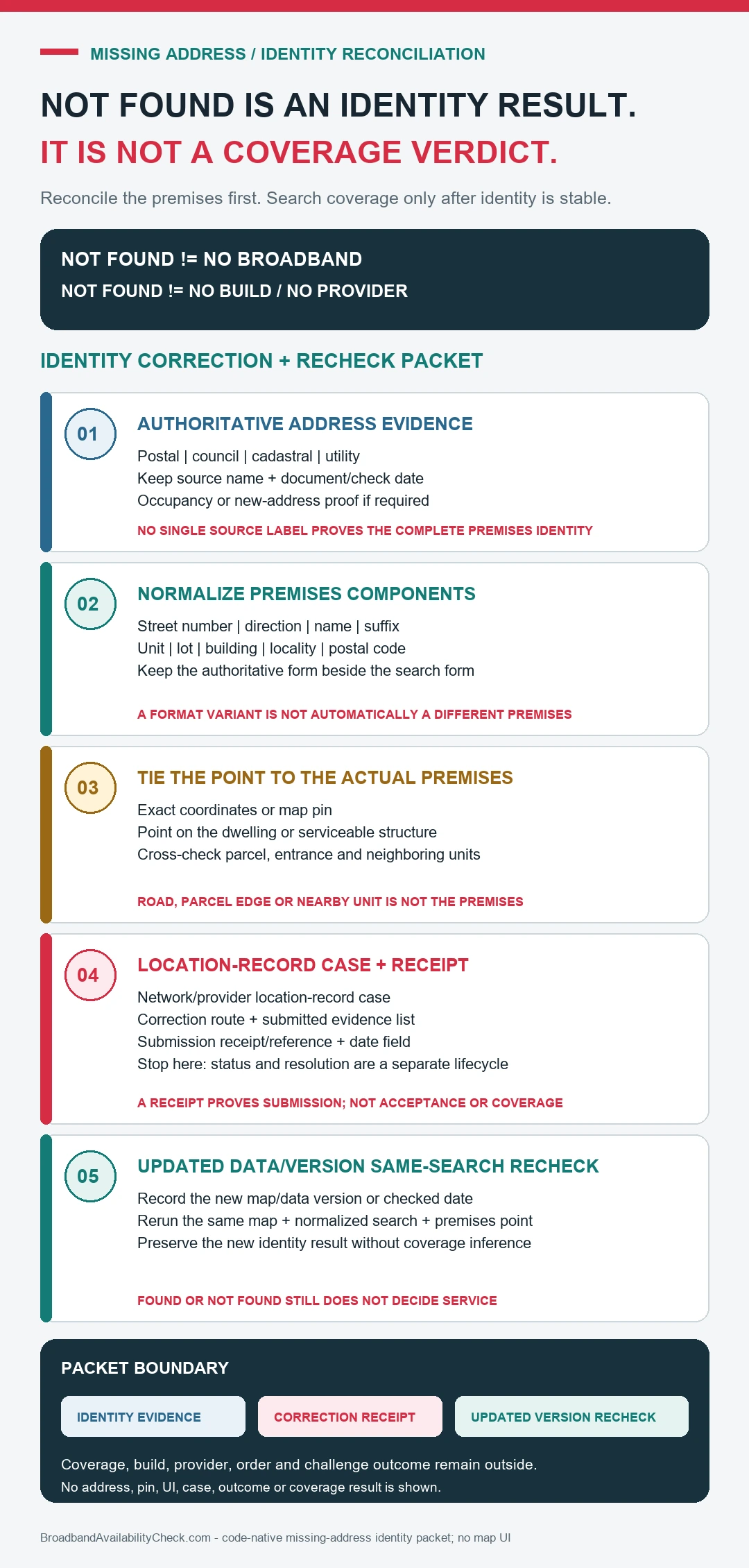
Correct the map and test an actual order
- Search the official postal form of the address and test accepted unit, lot, and building-name formats.
- Compare the selected map point with the actual structure, driveway, parcel, and neighboring premises.
- For the missing-address correction, ask providers whether they can locate the premises through another address key or a manual serviceability check.
- Submit the map challenge or address correction with the strongest location and occupancy evidence available.
- Track the map case and provider construction case separately; one correction may finish before the other.
Separate an address fix from a network build
The useful outcome is a correctly identified premises plus a provider decision about construction or installation. A corrected dot on a map does not itself place an order.
| Address result | What to verify |
|---|---|
| address record | For the missing-address correction, match the complete service address, unit, and map point |
| mapped service status | In the missing-address correction, read the technology definition and reporting date shown by the map |
| correction or challenge route | Before relying on the missing-address correction, compare the displayed claim with the provider’s address-level order result |
| provider construction or installation case | Keep installation, capacity, correction, or waitlist conditions with the missing-address correction |
For address not found in broadband map, compare the map’s selected premises and reporting date with the provider’s order response for the same unit. For address not found in broadband map, compare the map’s selected premises and reporting date with the provider’s order response for the same unit.
A result from the missing-address correction is not an installation guarantee; capacity, building wiring, line condition, equipment, construction work, and current offers can still change the provider’s answer.
When the corrected address still cannot be ordered
Ask which engineering, capacity, right-of-way, building-access, or network-extension issue prevents the order and whether a survey is available.
Compare fixed wireless, mobile, satellite, and any public expansion program while retaining the correction and provider case numbers.